|
1
|
- J.D. Melvin
- Vision Implementers, Inc.
|
|
2
|
- Program in C# (or VB.NET or C++)
- Build project (called a Solution, which can contain one or more
assemblies)
- Compile each assembly into IL (intermediate language)
- Run solution under CLR (common run time) which
- Checks IL to make sure it is well behaved
- Combines assemblies in a solution to make a single executable
- Converts IL of all assembiles to machine code optimized for machine on
which it is running
|
|
3
|
- Completely object oriented
- Every program and/or procedure is a method
- Every variable is a class with value and useful methods like ToString
(convert value to a string)
- IL implements classes and objects so all .NET languages can share
objects, methods, values
- Uses a CTS (common type system) – common variable types for all .NET
languages
|
|
4
|
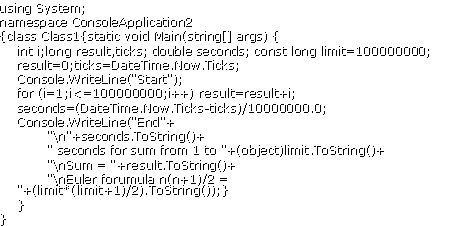
- using System;
- namespace ConsoleApplication2
- {class Class1{static void Main(string[] args) {
- int i;long result,ticks; double seconds; const long limit=100000000;
- result=0;ticks=DateTime.Now.Ticks;
- Console.WriteLine("Start");
- for (i=1;i<=100000000;i++) result=result+i;
- seconds=(DateTime.Now.Ticks-ticks)/10000000.0;
- Console.WriteLine("End"+
- "\n"+seconds.ToString()+
- " seconds for sum from 1 to "+(object)limit.ToString()+
- "\nSum = "+result.ToString()+
- "\nEuler forumula n(n+1)/2 =
"+(limit*(limit+1)/2).ToString());}
- }
- }
|
|
5
|
- .NET base classes – many of them, for math, database access, windows
applications, web applications, etc, etc
- Namespaces – named heirarchically; all under System (e.g., Now gives
current date and time; it is in System.DateTime.)
- Main method always runs first.
- Variables are strongly typed: Given one type in a declaration and keep
that type (e.g. ticks [long] must be separate from result [double])
|
|
6
|
- /* … */ and //… specify that … are comments
- C# is case-sensitive (for keywords and variables)
- Statements end with ; (semi-colon) and can be continued on subsequent
lines without a continuation character
- using XYZ; specifies that XYZ is the default namespace for referenced
classes (subnamespaces can be specified; e.g., after using System,
referencing DateTime.Now is equivalent to referencing
System.DateTime.Now)
- namespace ABC {….} specifies that …. are classes in namespace ABC
- class PQR {…} says that … are the properties and methods of class PQR
|
|
7
|
- Declarations of fields (variables) have form ([…] means OPTIONAL)
- [<modifier(s)>] <type> <name> [= <value>];
- <modifier(s)> and <type> are described below, <name>
is the variable name, and the optional <value> is its initial
value; variables used before
- being assigned a value here or in the code cause an error.
- [<attribute>] can precede method declaration (use the square
brackets here!)
|
|
8
|
- [<modifier(s)>] <type> <name> ([parameters]) {…}
- declares a method (here […] means optional, as usual)
- {…} is the method code, <modifiers> and <type> are of the
return value when method is a function, <name> is the method name
- Any group of statements {…} are one or more statements, each ending with
;
|
|
9
|
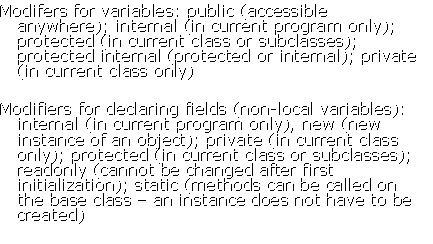
- Modifers for variables: public (accessible anywhere); internal (in
current program only); protected (in current class or subclasses);
protected internal (protected or internal); private (in current class
only)
- Modifiers for declaring fields (non-local variables): internal (in
current program only), new (new instance of an object); private (in
current class only); protected (in current class or subclasses);
readonly (cannot be changed after first initialization); static (methods
can be called on the base class – an instance does not have to be
created)
|
|
10
|
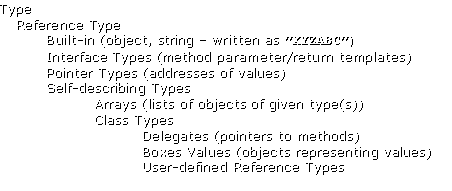
- Type
- Reference Type
- Built-in (object, string – written as ”XYZABC”)
- Interface Types (method parameter/return templates)
- Pointer Types (addresses of values)
- Self-describing Types
- Arrays (lists of objects of given type(s))
- Class Types
- Delegates (pointers to methods)
- Boxes Values (objects representing values)
- User-defined Reference Types
|
|
11
|
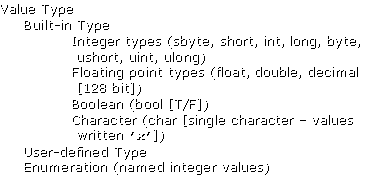
- Value Type
- Built-in Type
- Integer types (sbyte, short, int, long, byte,
- ushort, uint, ulong)
- Floating point types (float, double, decimal
- [128 bit])
- Boolean (bool [T/F])
- Character (char [single character – values
- written ’x’])
- User-defined Type
- Enumeration (named integer values)
|
|
12
|
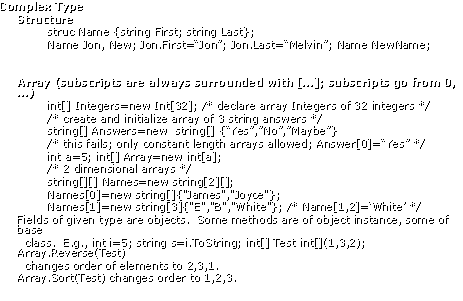
- Complex Type
- Structure
- struc Name {string First; string Last};
- Name Jon, New; Jon.First=“Jon”; Jon.Last=“Melvin”; Name NewName;
- Array (subscripts are always surrounded with […]; subscripts go from 0,
…)
- int[] Integers=new Int[32]; /* declare array Integers of 32 integers
*/
- /* create and initialize array of 3 string answers */
- string[] Answers=new string[]
{“Yes”,”No”,”Maybe”}
- /* this fails; only constant length arrays allowed; Answer[0]=“Yes” */
- int a=5; int[] Array=new int[a];
- /* 2 dimensional arrays */
- string[][] Names=new string[2][];
- Names[0]=new string[]{"James","Joyce"};
- Names[1]=new string[3]{"E","B","White"};
/* Name[1,2]=‘White’ */
- Fields of given type are objects.
Some methods are of object instance, some of base
- class. E.g., int i=5; string s=i.ToString;
int[] Test int[](1,3,2);
Array.Reverse(Test)
- changes order of elements to
2,3,1.
- Array.Sort(Test) changes order to 1,2,3.
|
|
13
|
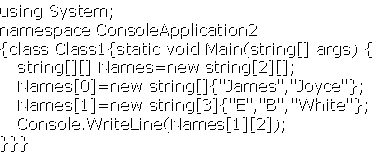
- using System;
- namespace ConsoleApplication2
- {class Class1{static void Main(string[] args) {
- string[][] Names=new string[2][];
- Names[0]=new string[]{"James","Joyce"};
- Names[1]=new string[3]{"E","B","White"};
- Console.WriteLine(Names[1][2]);
- }}}
|
|
14
|
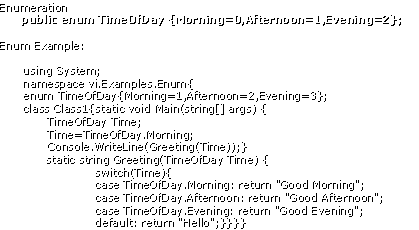
- Enumeration
- public enum TimeOfDay {Morning=0,Afternoon=1,Evening=2};
- Enum Example:
- using System;
- namespace vi.Examples.Enum{
- enum TimeOfDay{Morning=1,Afternoon=2,Evening=3};
- class Class1{ static void Main(string[] args) {
- TimeOfDay Time;
- Time=TimeOfDay.Morning;
- Console.WriteLine(Greeting(Time));}
- static string
Greeting(TimeOfDay Time) {
- switch(Time){
- case TimeOfDay.Morning: return "Good Morning";
- case TimeOfDay.Afternoon: return "Good Afternoon";
- case TimeOfDay.Evening: return "Good Evening";
- default: return "Hello";}}}}
|
|
15
|
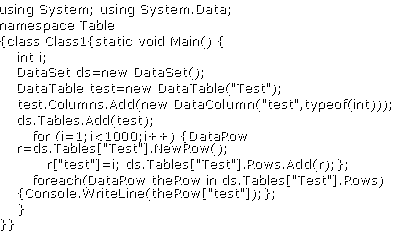
- using System; using System.Data;
- namespace Table
- {class Class1{static void Main() {
- int i;
- DataSet ds=new DataSet();
- DataTable test=new DataTable("Test");
- test.Columns.Add(new DataColumn("test",typeof(int)));
- ds.Tables.Add(test);
- for (i=1;i<1000;i++)
{DataRow r=ds.Tables["Test"].NewRow();
- r["test"]=i;
ds.Tables["Test"].Rows.Add(r);};
- foreach(DataRow theRow in
ds.Tables["Test"].Rows)
{Console.WriteLine(theRow["test"]);};
- }
- }}
|
|
16
|
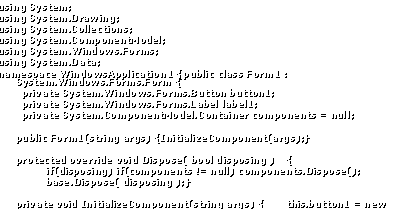
- using System;
- using System.Drawing;
- using System.Collections;
- using System.ComponentModel;
- using System.Windows.Forms;
- using System.Data;
- namespace WindowsApplication1 {public class Form1 :
System.Windows.Forms.Form {
- private System.Windows.Forms.Button button1;
- private System.Windows.Forms.Label label1;
- private System.ComponentModel.Container components = null;
- public Form1(string args) {InitializeComponent(args);}
- protected override void Dispose( bool disposing ) {
- if(disposing) if(components != null) components.Dispose();
- base.Dispose( disposing );}
- private void InitializeComponent(string args) { this.button1 = new
|
|
17
|
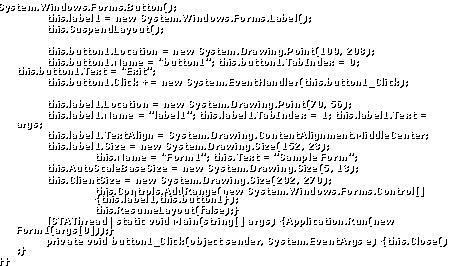
- System.Windows.Forms.Button();
- this.label1 = new System.Windows.Forms.Label();
- this.SuspendLayout();
- this.button1.Location = new System.Drawing.Point(109, 208);
- this.button1.Name = "button1"; this.button1.TabIndex = 0;
this.button1.Text = "Exit";
- this.button1.Click += new System.EventHandler(this.button1_Click);
- this.label1.Location = new System.Drawing.Point(70, 56);
- this.label1.Name = "label1"; this.label1.TabIndex = 1;
this.label1.Text = args;
- this.label1.TextAlign = System.Drawing.ContentAlignment.MiddleCenter;
- this.label1.Size = new System.Drawing.Size(152, 23);
- this.Name = "Form1"; this.Text = "Sample Form";
- this.AutoScaleBaseSize = new System.Drawing.Size(5, 13);
- this.ClientSize = new System.Drawing.Size(292, 270);
- this.Controls.AddRange(new System.Windows.Forms.Control[]
{this.label1,this.button1});
- this.ResumeLayout(false);}
- [STAThread] static void Main(string[] args) {Application.Run(new
Form1(args[0]));}
- private void button1_Click(object sender, System.EventArgs e)
{this.Close() ;}
- }}
|

 Notes
Notes