|
1
|
- LA C#, SIG of LAFox.org
- September 3, 2002
|
|
2
|
- The talk will present
- Setup of Visual Studio .NET web development
- Resolving setup problems
- ASP.NET web page development with Visual Studio .NET
- Some simple apps coded directly with a text editor
- Benchmarks comparing performance of ASP with VBScript, and ASP.NET with
VB and C#
- Code examples and this presentation are on the web at http://www.vi-i.com/talks
and a downloadable zip file is at http://www.lacsharp.org.
|
|
3
|
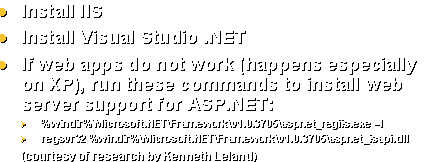
- Install IIS
- Install Visual Studio .NET
- If web apps do not work (happens especially on XP), run these commands
to install web server support for ASP.NET:
- %windir%\Microsoft.NET\Framework\v1.0.3705\aspnet_regiis.exe –I
- regsvr32 %windir%\Microsoft.NET\Framework\v1.0.3705\aspnet_isapi.dll
- (courtesy of research by Kenneth Leland)
|
|
4
|
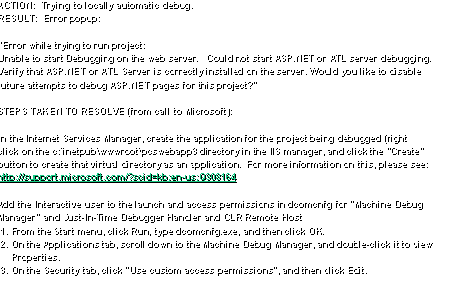
- ACTION: Trying to locally automatic debug.
- RESULT: Error popup:
- “Error while trying to run project:
- Unable to start Debugging on the web server. Could not start ASP.NET or ATL server
debugging.
- Verify that ASP.NET or ATL Server is correctly installed on the server.
Would you like to disable
- future attempts to debug ASP.NET pages for this project?”
- STEPS TAKEN TO RESOLVE (from call to Microsoft):
- In the Internet Services Manager, create the application for the project
being debugged (right
- click on the c:\inetpub\wwwroot\pcswebapp3 directory in the IIS manager,
and click the “Create”
- button to create that virtual directory as an application. For
more information on this, please see:
- http://support.microsoft.com/?scid=kb;en-us;Q308164
- Add the Interactive user to the launch and access permissions in
dcomcnfg for “Machine Debug
- Manager” and Just-In-Time Debugger Handler and CLR Remote Host
- 1. From the Start menu, click Run, type dcomcnfg.exe, and then
click OK.
- 2. On the Applications tab, scroll down to the Machine Debug
Manager, and double-click it to view
- Properties.
- 3. On the Security tab, click "Use custom access
permissions", and then click Edit.
|
|
5
|
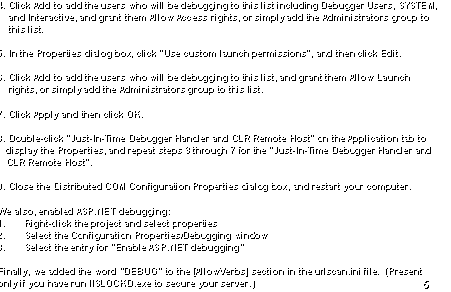
- 4. Click Add to add the users who will be debugging to this list
including Debugger Users, SYSTEM,
- and Interactive, and grant
them Allow Access rights, or simply add the Administrators group to
- this list.
- 5. In the Properties dialog box, click "Use custom launch
permissions", and then click Edit.
- 6. Click Add to add the users who will be debugging to this list, and
grant them Allow Launch
- rights, or simply add the
Administrators group to this list.
- 7. Click Apply and then click OK.
- 8. Double-click "Just-In-Time Debugger Handler and CLR Remote
Host" on the Application tab to
- display the Properties, and
repeat steps 3 through 7 for the "Just-In-Time Debugger Handler and
- CLR Remote Host".
- 9. Close the Distributed COM Configuration Properties dialog box, and
restart your computer.
- We also, enabled ASP.NET debugging:
- 1. Right-click the project and
select properties
- 2. Select the Configuration
Properties/Debugging window
- 3. Select the entry for “Enable
ASP.NET debugging”
- Finally, we added the word “DEBUG” to the [AllowVerbs] section in the
urlscan.ini file. (Present
- only if you have run IISLOCKD.exe to secure your server.)
|
|
6
|
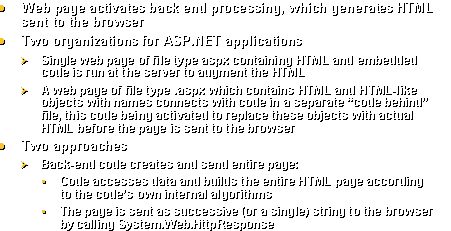
- Web page activates back end processing, which generates HTML sent to the
browser
- Two organizations for ASP.NET applications
- Single web page of file type aspx containing HTML and embedded code is
run at the server to augment the HTML
- A web page of file type .aspx which contains HTML and HTML-like objects
with names connects with code in a separate “code behind” file, this
code being activated to replace these objects with actual HTML before
the page is sent to the browser
- Two approaches
- Back-end code creates and send entire page:
- Code accesses data and builds the entire HTML page according to the
code’s own internal algorithms
- The page is sent as successive (or a single) string to the browser by
calling System.Web.HttpResponse
|
|
7
|
- Code uses Microsoft visual objects on the web page
- Microsoft provides a collection of visual objects (or controls) that
can be used on the page (edit boxes, grids, buttons, calendar)
- These objects are placed on the page in the .aspx file with HTML-like
code that specifies properties and an ID used to identify the object
- Back-end (server) code tracks properties and methods for these objects
- When the page is turned into HTML, these properties are applied and
data is “bound” to these objects
- When the user clicks a control on the web page, hidden submit
variables send long binary strings to the server to specify the user’s
action and what object was acted upon
- The server then executes methods associated with these user actions
before sending the next page
|
|
8
|
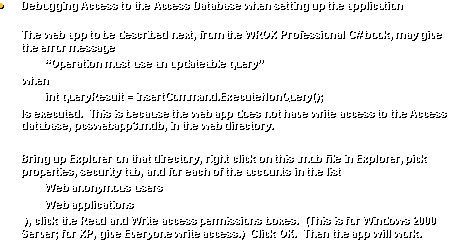
- Debugging Access to the Access Database when setting up the application
- The web app to be described next, from the WROX Professional C# book,
may give the error message
- “Operation must use an updateable query”
- when
- int queryResult = insertCommand.ExecuteNonQuery();
- Is executed. This is because the
web app does not have write access to the Access database,
pcswebapp3.mdb, in the web directory.
- Bring up Explorer on that directory, right click on this .mdb file in
Explorer, pick properties, security tab, and for each of the accounts in
the list
- Web anonymous users
- Web applications
- ), click the Read and Write access permissions boxes. (This is for Windows 2000 Server; for
XP, give Everyone write access.)
Click OK. Then the app
will work.
|
|
9
|
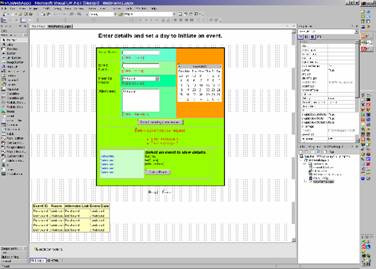
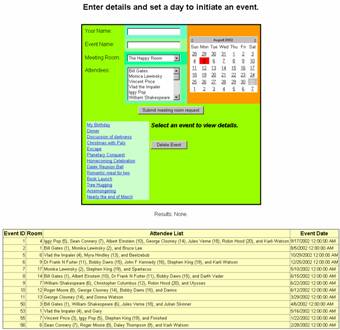
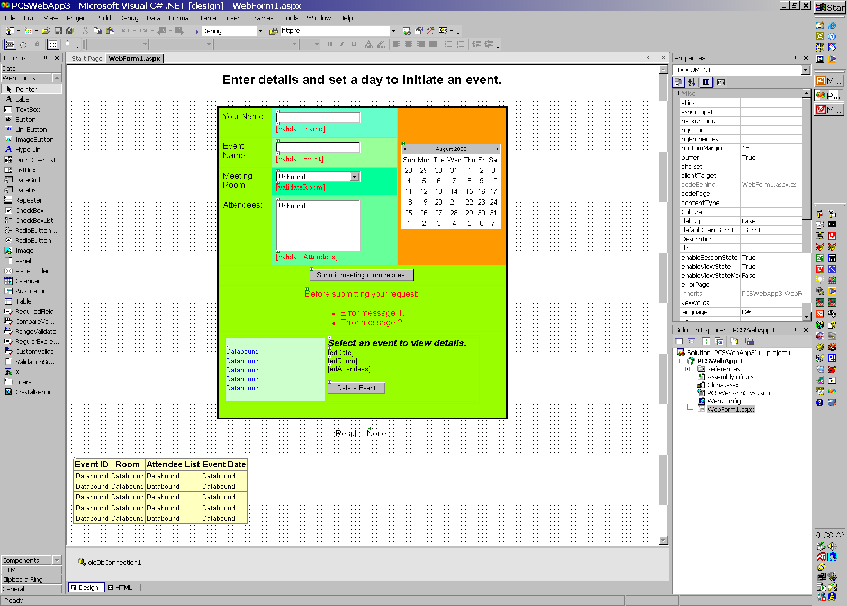
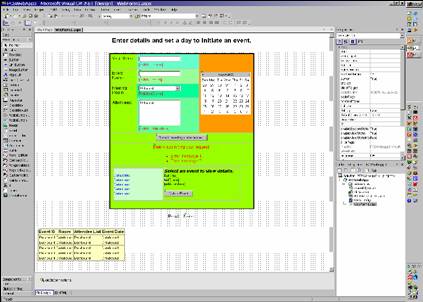
- Professional CSharp PCSWebApp3 (with some additions): Visual Studio .NET
view of application
|
|
10
|
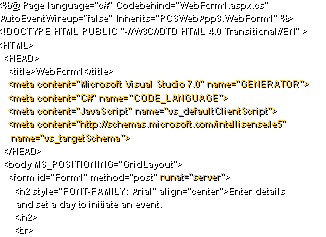
- <%@ Page language="c#"
Codebehind="WebForm1.aspx.cs"
- AutoEventWireup="false"
Inherits="PCSWebApp3.WebForm1" %>
- <!DOCTYPE HTML PUBLIC "-//W3C//DTD HTML 4.0
Transitional//EN" >
- <HTML>
- <HEAD>
-
<title>WebForm1</title>
- <meta
content="Microsoft Visual Studio 7.0"
name="GENERATOR">
- <meta
content="C#" name="CODE_LANGUAGE">
- <meta
content="JavaScript"
name="vs_defaultClientScript">
- <meta
content="http://schemas.microsoft.com/intellisense/ie5"
-
name="vs_targetSchema">
- </HEAD>
- <body
MS_POSITIONING="GridLayout">
- <form id="Form1"
method="post" runat="server">
- <h2
style="FONT-FAMILY: Arial" align="center">Enter
details
- and set a day to initiate
an event.
- </h2>
- <br>
|
|
11
|
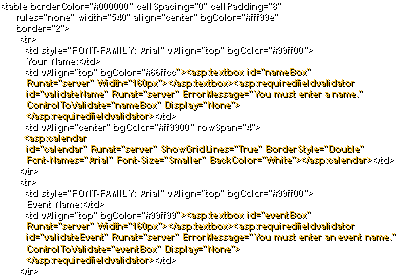
- <table
borderColor="#000000" cellSpacing="0"
cellPadding="8"
- rules="none"
width="540" align="center"
bgColor="#fff99e"
- border="2">
- <tr>
- <td
style="FONT-FAMILY: Arial" vAlign="top"
bgColor="#99ff00">
- Your Name:</td>
- <td
vAlign="top" bgColor="#66ffcc"><asp:textbox
id="nameBox"
-
Runat="server"
Width="160px"></asp:textbox><asp:requiredfieldvalidator
-
id="validateName" Runat="server"
ErrorMessage="You must enter a name."
-
ControlToValidate="nameBox"
Display="None">
-
</asp:requiredfieldvalidator></td>
- <td
vAlign="center" bgColor="#ff9900"
rowSpan="4">
- <asp:calendar
- id="calendar"
Runat="server" ShowGridLines="True"
BorderStyle="Double"
-
Font-Names="Arial" Font-Size="Smaller"
BackColor="White"></asp:calendar></td>
- </tr>
- <tr>
- <td
style="FONT-FAMILY: Arial" vAlign="top"
bgColor="#99ff00">
- Event Name:</td>
- <td
vAlign="top" bgColor="#99ff99"><asp:textbox
id="eventBox"
-
Runat="server"
Width="160px"></asp:textbox><asp:requiredfieldvalidator
-
id="validateEvent" Runat="server"
ErrorMessage="You must enter an event name."
-
ControlToValidate="eventBox"
Display="None">
-
</asp:requiredfieldvalidator></td>
- </tr>
|
|
12
|
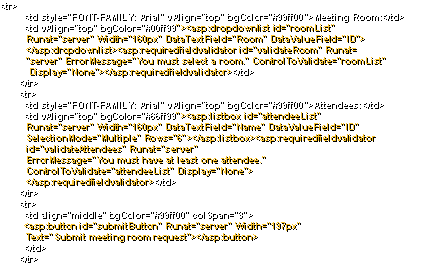
- <tr>
- <td
style="FONT-FAMILY: Arial" vAlign="top"
bgColor="#99ff00">Meeting Room:</td>
- <td
vAlign="top" bgColor="#00ff99"><asp:dropdownlist
id="roomList"
-
Runat="server" Width="160px"
DataTextField="Room" DataValueField="ID">
-
</asp:dropdownlist><asp:requiredfieldvalidator
id="validateRoom" Runat=
- "server"
ErrorMessage="You must select a room."
ControlToValidate="roomList"
-
Display="None"></asp:requiredfieldvalidator></td>
- </tr>
- <tr>
- <td
style="FONT-FAMILY: Arial" vAlign="top"
bgColor="#99ff00">Attendees:</td>
- <td
vAlign="top" bgColor="#66ff99"><asp:listbox
id="attendeeList"
-
Runat="server" Width="160px"
DataTextField="Name" DataValueField="ID"
-
SelectionMode="Multiple"
Rows="6"></asp:listbox><asp:requiredfieldvalidator
-
id="validateAttendees" Runat="server"
- ErrorMessage="You
must have at least one attendee."
-
ControlToValidate="attendeeList"
Display="None">
-
</asp:requiredfieldvalidator></td>
- </tr>
- <tr>
- <td
align="middle" bgColor="#99ff00"
colSpan="3">
- <asp:button
id="submitButton" Runat="server"
Width="197px"
- Text="Submit
meeting room request"></asp:button>
- </td>
- </tr>
|
|
13
|
- <tr>
- <td
align="middle" bgColor="#99ff00"
colSpan="3">
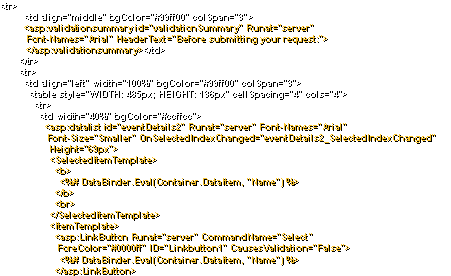
- <asp:validationsummary
id="validationSummary" Runat="server"
-
Font-Names="Arial" HeaderText="Before submitting
your request:">
-
</asp:validationsummary></td>
- </tr>
- <tr>
- <td
align="left" width="100%"
bgColor="#99ff00" colSpan="3">
- <table
style="WIDTH: 485px; HEIGHT: 136px" cellSpacing="4"
cols="4">
- <tr>
- <td
width="40%" bgColor="#ccffcc">
- <asp:datalist
id="eventDetails2" Runat="server"
Font-Names="Arial"
-
Font-Size="Smaller"
OnSelectedIndexChanged="eventDetails2_SelectedIndexChanged"
-
Height="69px">
-
<SelectedItemTemplate>
- <b>
- <%#
DataBinder.Eval(Container.DataItem, "Name") %>
- </b>
- <br>
-
</SelectedItemTemplate>
-
<ItemTemplate>
-
<asp:LinkButton Runat="server"
CommandName="Select"
-
ForeColor="#0000ff" ID="Linkbutton1"
CausesValidation="False">
- <%#
DataBinder.Eval(Container.DataItem, "Name") %>
-
</asp:LinkButton>
|
|
14
|
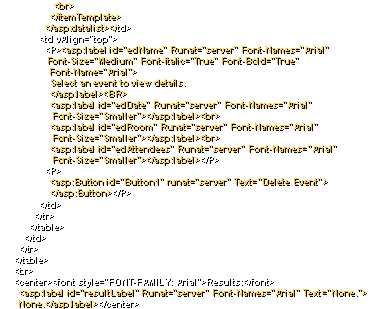
- <br>
-
</ItemTemplate>
-
</asp:datalist></td>
- <td
vAlign="top">
- <P><asp:label
id="edName" Runat="server"
Font-Names="Arial"
-
Font-Size="Medium" Font-Italic="True"
Font-Bold="True"
-
Font-Name="Arial">
- Select an
event to view details.
-
</asp:label><BR>
- <asp:label
id="edDate" Runat="server"
Font-Names="Arial"
-
Font-Size="Smaller"></asp:label><br>
- <asp:label
id="edRoom" Runat="server"
Font-Names="Arial"
-
Font-Size="Smaller"></asp:label><br>
- <asp:label
id="edAttendees" Runat="server"
Font-Names="Arial"
-
Font-Size="Smaller"></asp:label></P>
- <P>
- <asp:Button
id="Button1" runat="server" Text="Delete
Event">
-
</asp:Button></P>
- </td>
- </tr>
- </table>
- </td>
- </tr>
- </table>
- <br>
- <center><font
style="FONT-FAMILY: Arial">Results:</font>
- <asp:label
id="resultLabel" Runat="server"
Font-Names="Arial" Text="None.">
- None.</asp:label></center>
|
|
15
|
- <br>
- <br>
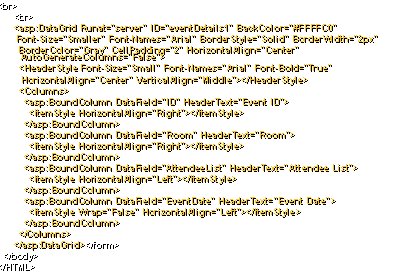
- <asp:DataGrid
Runat="server" ID="eventDetails1"
BackColor="#FFFFC0"
-
Font-Size="Smaller" Font-Names="Arial"
BorderStyle="Solid" BorderWidth="2px"
-
BorderColor="Gray" CellPadding="2"
HorizontalAlign="Center"
AutoGenerateColumns="False">
- <HeaderStyle
Font-Size="Small" Font-Names="Arial"
Font-Bold="True"
-
HorizontalAlign="Center"
VerticalAlign="Middle"></HeaderStyle>
- <Columns>
- <asp:BoundColumn
DataField="ID" HeaderText="Event ID">
- <ItemStyle
HorizontalAlign="Right"></ItemStyle>
- </asp:BoundColumn>
- <asp:BoundColumn
DataField="Room" HeaderText="Room">
- <ItemStyle
HorizontalAlign="Right"></ItemStyle>
- </asp:BoundColumn>
- <asp:BoundColumn
DataField="AttendeeList" HeaderText="Attendee
List">
- <ItemStyle
HorizontalAlign="Left"></ItemStyle>
- </asp:BoundColumn>
- <asp:BoundColumn
DataField="EventDate" HeaderText="Event Date">
- <ItemStyle
Wrap="False"
HorizontalAlign="Left"></ItemStyle>
- </asp:BoundColumn>
- </Columns>
- </asp:DataGrid></form>
- </body>
- </HTML>
|
|
16
|
|
|
17
|
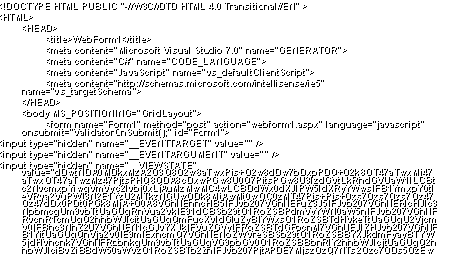
- <!DOCTYPE HTML PUBLIC "-//W3C//DTD HTML 4.0
Transitional//EN" >
- <HTML>
- <HEAD>
- <title>WebForm1</title>
- <meta content="Microsoft Visual Studio 7.0"
name="GENERATOR">
- <meta content="C#" name="CODE_LANGUAGE">
- <meta content="JavaScript"
name="vs_defaultClientScript">
- <meta
content="http://schemas.microsoft.com/intellisense/ie5"
name="vs_targetSchema">
- </HEAD>
- <body MS_POSITIONING="GridLayout">
- <form name="Form1" method="post"
action="webform1.aspx" language="javascript"
onsubmit="ValidatorOnSubmit();" id="Form1">
- <input type="hidden" name="__EVENTTARGET"
value="" />
- <input type="hidden" name="__EVENTARGUMENT"
value="" />
- <input type="hidden" name="__VIEWSTATE"
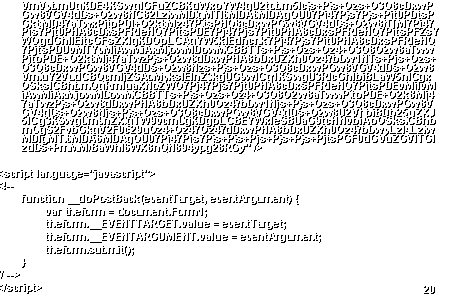
value="dDwtNDA0MDkxMzA2O3Q8O2w8aTwxPjs+O2w8dDw7bDxpPDQ+O2k8OT47aTwxMj47aTwxOT47aTwzMz47PjtsPHQ8QDA8cDxwPGw8U0Q7PjtsPGw8U3lzdGVtLkRhdGVUaW1lLCBtc2NvcmxpYiwgVmVyc2lvbj0xLjAuMzMwMC4wLCBDdWx0dXJlPW5ldXRyYWwsIFB1YmxpY0tleVRva2VuPWI3N2E1YzU2MTkzNGUwODk8MjAwMi0wOC0zMT47Pjs+Pjs+Ozs7Ozs7Ozs7Oz47Oz47dDx0PDt0PGk8MjA+O0A8VGhlIEhhcHB5IFJvb207VGhlIEFuZ3J5IFJvb207VGhlIERlcHJlc3NpbmcgUm9vbTtUaGUgRnVua2VkIE91dCBSb29tO1RoZSBPdmVyYWN0aW5nIFJvb207VGhlIFRvcnR1cmUgQ2hhbWJlcjtUaGUgQmFucXVldGluZyBIYWxsO1RoZSBTdHVkeTtUaGUgU2VjcmV0IFBhc3NhZ2U7VGhlIEN1cGJvYXJkIFVuZGVyIFRoZSBTdGFpcnM7VGhlIEJlZHJvb207VGhlIFB1YjtUaGUgQnVja2V0IE9mIExhcmQ7VGhlIENoZWVreSBSb29tO1RoZSBBYXJkdmFyayBTYW5jdHVhcnk7VGhlIFRpbnkgUm9vbTtUaGUgVG9pbGV0O1RoZSBBbnRlY2hhbWJlcjtUaGUgQ2hhbWJlciBvZiBBdW50aWVzO1RoZSBTb2ZhIFJvb207PjtAPDE7MjszOzQ7NTs2Ozc7ODs5OzEw
|
|
18
|
- OzExOzEyOzEzOzE0OzE1OzE2OzE3OzE4OzE5OzIwOz4+Oz47Oz47dDx0PDt0PGk8MjA+O0A8QmlsbCBHYXRlcztNb25pY2EgTGV3aW5za3k7VmluY2VudCBQcmljZTtWbGFkIHRoZSBJbXBhbGVyO0lnZ3kgUG9wO1dpbGxpYW0gU2hha2VzcGVhcmU7U2VhbiBDb25uZXJ5O1JvZ2VyIE1vb3JlO0RhbGV5IFRob21wc29uO0FsYmVydCBFaW5zdGVpbjtEciBGcmFuayBOIEZ1cnRlcjtDaHJpc3RvcGhlciBDb2x1bWJ1cztNeXJhIEhpbmRsZXk7R2VvcmdlIENsb29uZXk7Qm9iYnkgRGF2cm87Sm9obiBGIEtlbm5lZHk7TWFvIFRzZSBUdW5nO0p1bGVzIFZlcm5lO1N0ZXBoZW4gS2luZztSb2JpbiBIb29kOz47QDwxOzI7Mzs0OzU7Njs3Ozg7OTsxMDsxMTsxMjsxMzsxNDsxNTsxNjsxNzsxODsxOTsyMDs+Pjs+Ozs+O3Q8QDA8cDxwPGw8RGF0YUtleXM7XyFJdGVtQ291bnQ7PjtsPGw8PjtpPDEzPjs+Pjs+Ozs7Ozs7Ozs+O2w8aTwwPjtpPDE+O2k8Mj47aTwzPjtpPDQ+O2k8NT47aTw2PjtpPDc+O2k8OD47aTw5PjtpPDEwPjtpPDExPjtpPDEyPjs+O2w8dDw7bDxpPDE+Oz47bDx0PDtsPGk8MD47PjtsPHQ8QDxNeSBCaXJ0aGRheTs+Ozs+Oz4+Oz4+O3Q8O2w8aTwxPjs+O2w8dDw7bDxpPDA+Oz47bDx0PEA8RGlubmVyOz47Oz47Pj47Pj47dDw7bDxpPDE+Oz47bDx0PDtsPGk8MD47PjtsPHQ8QDxEaXNjdXNzaW9uIG9mIGRhcmtuZXNzOz47Oz47Pj47Pj47dDw7bDxpPDE+Oz47bDx0PDtsPGk8MD47PjtsPHQ8QDxDaHJpc3RtYXMgd2l0aCBQYWxzOz47Oz47Pj47Pj47dDw7bDxpPDE+Oz47bDx0PDtsPGk8MD47PjtsPHQ8QDxFc2NhcGU7Pjs7Pjs+Pjs+Pjt0PDtsPGk8MT47PjtsPHQ8O2w8aTwwPjs+O2w8dDxAPFBsYW5ldGFyeSBDb25xdWVzdDs+Ozs+Oz4+Oz4+O3Q8O2w8aTwxPjs+O2w8dDw7bDxpPDA+Oz47bDx0PEA8SG9tZWNvbWluZyBDZWxlYnJhdGlvbjs+Ozs+Oz4+Oz4+O3Q8O2w8aTwxPjs+O2w8dDw7bDxpPDA+Oz47bDx0PEA8RGFsZWsgUmV1bmlvbiBCYWxsOz47Oz47Pj47Pj47dDw7bDxpPDE+Oz47bDx0PDtsPGk8MD47PjtsPHQ8QDxSb21hbnRpYyBtZWFsIGZvciB0d287Pjs7Pjs+Pjs+Pjt0PDtsPGk8MT47PjtsPHQ8O2w8aTwwPjs+O2w8dDxAPEJvb2sgTGF1bmNoOz47Oz47Pj47Pj47dDw7bDxpPDE+Oz47bDx0PDtsPGk8MD47PjtsPHQ8QDxUcmVlIEh1Z2dpbmc7Pjs7Pjs+Pjs+Pjt0PDtsPGk8MT47PjtsPHQ8O2w8aTwwPjs+O2w8dDxAPEFyc2Vtb25nZXJpbmc7Pjs7Pjs+Pjs+Pjt0PDtsPGk8MT47PjtsPHQ8O2w8aTwwPjs+O2w8dDxAPE5lYXJseSB0aGUgZW5kIG9mIE1hcmNoOz47Oz47Pj47Pj47Pj47dDxAMDxwPHA8bDxQYWdlQ291bnQ7XyFJdGVtQ291bnQ7XyFEYXRhU291cmNlSXRlbUNvdW50O0RhdGFLZXlzOz47bDxpPDE+O2k8MTM+O2k8MTM+O2w8Pjs+Pjs+Ozs7Ozs7Ozs7Oz47bDxpPDA+Oz47bDx0PDtsPGk8MT47aTwyPjtpPDM+O2k8ND47aTw1PjtpPDY+O2k8Nz47aTw4PjtpPDk+O2k8MTA+O2k8MTE+O2k8MTI+O2k8MTM+Oz47bDx0PDtsPGk8MD47aTwxPjtpPDI+O2k8Mz47PjtsPHQ8cDxwPGw8VGV4dDs+O2w8MTs+Pjs+Ozs+O3Q8cDxwPGw8VGV4dDs+O2w8NDs+Pjs+Ozs+O3Q8cDxwPGw8VGV4dDs+O2w8SWdneSBQb3AgKDUpLCBTZWFuIENvbm5lcnkgKDcpLCBBbGJlcnQgRWluc3RlaW4gKDEwKSwgR2VvcmdlIENsb29uZXkgKDE0KSwgSnVsZXMgVmVybmUgKDE4KSwgUm9iaW4gSG9vZCAoMjApLCAgYW5kIEthcmxpIFdhdHNvbjs+Pjs+Ozs+O3Q8cDxwPGw8VGV4dDs+O2w8OS8xNy8yMDAyIDEyOjAwOjAwIEFNOz4+Oz47Oz47Pj47dDw7bD
|
|
19
|
- xpPDA+O2k8MT47aTwyPjtpPDM+Oz47bDx0PHA8cDxsPFRleHQ7PjtsPDI7Pj47Pjs7Pjt0PHA8cDxsPFRleHQ7PjtsPDE7Pj47Pjs7Pjt0PHA8cDxsPFRleHQ7PjtsPEJpbGwgR2F0ZXMgKDEpLCBNb25pa2EgTGV3aW5za3kgKDIpLCAgYW5kIEJydWNlIExlZTs+Pjs+Ozs+O3Q8cDxwPGw8VGV4dDs+O2w8OC81LzIwMDIgMTI6MDA6MDAgQU07Pj47Pjs7Pjs+Pjt0PDtsPGk8MD47aTwxPjtpPDI+O2k8Mz47PjtsPHQ8cDxwPGw8VGV4dDs+O2w8NTs+Pjs+Ozs+O3Q8cDxwPGw8VGV4dDs+O2w8Njs+Pjs+Ozs+O3Q8cDxwPGw8VGV4dDs+O2w8VmxhZCB0aGUgSW1wYWxlciAoNCksIE15cmEgSGluZGxleSAoMTMpLCAgYW5kIEJlZWx6ZWJ1Yjs+Pjs+Ozs+O3Q8cDxwPGw8VGV4dDs+O2w8MTAvMjkvMjAwMiAxMjowMDowMCBBTTs+Pjs+Ozs+Oz4+O3Q8O2w8aTwwPjtpPDE+O2k8Mj47aTwzPjs+O2w8dDxwPHA8bDxUZXh0Oz47bDw2Oz4+Oz47Oz47dDxwPHA8bDxUZXh0Oz47bDw5Oz4+Oz47Oz47dDxwPHA8bDxUZXh0Oz47bDxEciBGcmFuayBOIEZ1cnRlciAoMTEpLCBCb2JieSBEYXZybyAoMTUpLCBKb2huIEYgS2VubmVkeSAoMTYpLCBTdGVwaGVuIEtpbmcgKDE5KSwgIGFuZCBLYXJsaSBXYXRzb247Pj47Pjs7Pjt0PHA8cDxsPFRleHQ7PjtsPDEyLzI1LzIwMDIgMTI6MDA6MDAgQU07Pj47Pjs7Pjs+Pjt0PDtsPGk8MD47aTwxPjtpPDI+O2k8Mz47PjtsPHQ8cDxwPGw8VGV4dDs+O2w8Nzs+Pjs+Ozs+O3Q8cDxwPGw8VGV4dDs+O2w8MTc7Pj47Pjs7Pjt0PHA8cDxsPFRleHQ7PjtsPE1vbmlrYSBMZXdpbnNreSAoMiksIFN0ZXBoZW4gS2luZyAoMTkpLCAgYW5kIFNwYXJ0YWN1czs+Pjs+Ozs+O3Q8cDxwPGw8VGV4dDs+O2w8NS8xMC8yMDAyIDEyOjAwOjAwIEFNOz4+Oz47Oz47Pj47dDw7bDxpPDA+O2k8MT47aTwyPjtpPDM+Oz47bDx0PHA8cDxsPFRleHQ7PjtsPDg7Pj47Pjs7Pjt0PHA8cDxsPFRleHQ7PjtsPDE0Oz4+Oz47Oz47dDxwPHA8bDxUZXh0Oz47bDxCaWxsIEdhdGVzICgxKSwgQWxiZXJ0IEVpbnN0ZWluICgxMCksIERyIEZyYW5rIE4gRnVydGVyICgxMSksIEJvYmJ5IERhdnJvICgxNSksICBhbmQgRGFydGggVmFkZXI7Pj47Pjs7Pjt0PHA8cDxsPFRleHQ7PjtsPDYvMTUvMjAwMiAxMjowMDowMCBBTTs+Pjs+Ozs+Oz4+O3Q8O2w8aTwwPjtpPDE+O2k8Mj47aTwzPjs+O2w8dDxwPHA8bDxUZXh0Oz47bDw5Oz4+Oz47Oz47dDxwPHA8bDxUZXh0Oz47bDw3Oz4+Oz47Oz47dDxwPHA8bDxUZXh0Oz47bDxXaWxsaWFtIFNoYWtlc3BlYXJlICg2KSwgQ2hyaXN0b3BoZXIgQ29sdW1idXMgKDEyKSwgUm9iaW4gSG9vZCAoMjApLCAgYW5kIFVseXNzZXM7Pj47Pjs7Pjt0PHA8cDxsPFRleHQ7PjtsPDYvMjIvMjAwMiAxMjowMDowMCBBTTs+Pjs+Ozs+Oz4+O3Q8O2w8aTwwPjtpPDE+O2k8Mj47aTwzPjs+O2w8dDxwPHA8bDxUZXh0Oz47bDwxMDs+Pjs+Ozs+O3Q8cDxwPGw8VGV4dDs+O2w8MTI7Pj47Pjs7Pjt0PHA8cDxsPFRleHQ7PjtsPFJvZ2VyIE1vb3JlICg4KSwgR2VvcmdlIENsb29uZXkgKDE0KSwgQm9iYnkgRGF2cm8gKDE1KSwgIGFuZCBEYXZyb3M7Pj47Pjs7Pjt0PHA8cDxsPFRleHQ7PjtsPDYvMTIvMjAwMiAxMjowMDowMCBBTTs+Pjs+Ozs+Oz4+O3Q8O2w8aTwwPjtpPDE+O2k8Mj47aTwzPjs+O2w8dDxwPHA8bDxUZXh0Oz47bDwxMTs+Pjs+Ozs+O3Q8cDxwPGw8VGV4dDs+O2w8MTM7Pj47Pjs7Pjt0PHA8cDxsPFRleHQ7PjtsPEdlb3JnZSBDbG9vbmV5ICgxNCksICBhbmQgRG9ubmEgV2F0c29uOz4+Oz47Oz47dDxwPHA8bDxUZXh0Oz47bDwzLzI5LzIwMDIgMTI6MDA6MDAgQU07Pj47Pjs7Pjs+Pjt0PDtsPGk8MD47aTwxPjtpPDI+O2k8Mz47PjtsPHQ8cDxwPGw8VGV4dDs+O2w8NTA7Pj47Pjs7Pjt0PHA8cDxsPFRleHQ7PjtsPDM7Pj47Pjs7Pjt0PHA8cDxsPFRleHQ7PjtsPEJpbGwgR2F0ZXMgKDEpLCBXaWxsaWFtIFNoYWtlc3BlYXJlICg2KSwgSnVsZXMg
|
|
20
|
- VmVybmUgKDE4KSwgIGFuZCBKdWxpYW4gU2tpbm5lcjs+Pjs+Ozs+O3Q8cDxwPGw8VGV4dDs+O2w8NC82LzIwMDIgMTI6MDA6MDAgQU07Pj47Pjs7Pjs+Pjt0PDtsPGk8MD47aTwxPjtpPDI+O2k8Mz47PjtsPHQ8cDxwPGw8VGV4dDs+O2w8NTM7Pj47Pjs7Pjt0PHA8cDxsPFRleHQ7PjtsPDE7Pj47Pjs7Pjt0PHA8cDxsPFRleHQ7PjtsPFZsYWQgdGhlIEltcGFsZXIgKDQpLCAgYW5kIEdhcnk7Pj47Pjs7Pjt0PHA8cDxsPFRleHQ7PjtsPDUvMTYvMjAwMiAxMjowMDowMCBBTTs+Pjs+Ozs+Oz4+O3Q8O2w8aTwwPjtpPDE+O2k8Mj47aTwzPjs+O2w8dDxwPHA8bDxUZXh0Oz47bDw1NTs+Pjs+Ozs+O3Q8cDxwPGw8VGV4dDs+O2w8Nzs+Pjs+Ozs+O3Q8cDxwPGw8VGV4dDs+O2w8VmluY2VudCBQcmljZSAoMyksIElnZ3kgUG9wICg1KSwgU3RlcGhlbiBLaW5nICgxOSksICBhbmQgRmluaXNoZWQ7Pj47Pjs7Pjt0PHA8cDxsPFRleHQ7PjtsPDEvMjIvMjAwMiAxMjowMDowMCBBTTs+Pjs+Ozs+Oz4+O3Q8O2w8aTwwPjtpPDE+O2k8Mj47aTwzPjs+O2w8dDxwPHA8bDxUZXh0Oz47bDw1Njs+Pjs+Ozs+O3Q8cDxwPGw8VGV4dDs+O2w8Njs+Pjs+Ozs+O3Q8cDxwPGw8VGV4dDs+O2w8U2VhbiBDb25uZXJ5ICg3KSwgUm9nZXIgTW9vcmUgKDgpLCBEYWxleSBUaG9tcHNvbiAoOSksICBhbmQgS2FybGkgV2F0c29uOz4+Oz47Oz47dDxwPHA8bDxUZXh0Oz47bDwyLzI4LzIwMDIgMTI6MDA6MDAgQU07Pj47Pjs7Pjs+Pjs+Pjs+Pjs+Pjs+PjtsPGF0dGVuZGVlTGlzdDs+PmMM/BaWhI6WX8nQN894ypg28RGy"
/>
- <script language="javascript">
- <!--
- function __doPostBack(eventTarget, eventArgument) {
- var theform = document.Form1;
- theform.__EVENTTARGET.value = eventTarget;
- theform.__EVENTARGUMENT.value = eventArgument;
- theform.submit();
- }
- // -->
- </script>
|
|
21
|
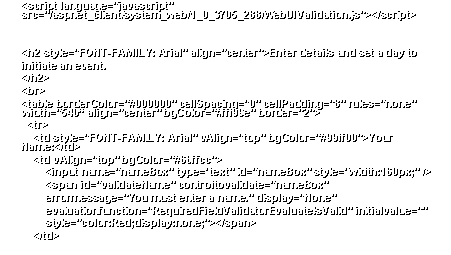
- <script
language="javascript"
src="/aspnet_client/system_web/1_0_3705_288/WebUIValidation.js"></script>
- <h2 style="FONT-FAMILY: Arial"
align="center">Enter details and set a day to
- initiate an event.
- </h2>
- <br>
- <table borderColor="#000000" cellSpacing="0"
cellPadding="8" rules="none" width="540“
align="center" bgColor="#fff99e"
border="2">
- <tr>
- <td
style="FONT-FAMILY: Arial" vAlign="top"
bgColor="#99ff00">Your Name:</td>
- <td vAlign="top"
bgColor="#66ffcc">
- <input name="nameBox" type="text"
id="nameBox" style="width:160px;" />
- <span id="validateName"
controltovalidate="nameBox"
- errormessage="You must enter a name."
display="None"
- evaluationfunction="RequiredFieldValidatorEvaluateIsValid"
initialvalue=""
- style="color:Red;display:none;"></span>
- </td>
|
|
22
|
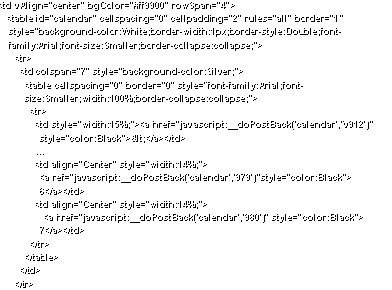
- <td vAlign="center" bgColor="#ff9900"
rowSpan="4">
- <table
id="calendar" cellspacing="0"
cellpadding="2" rules="all" border="1“
-
style="background-color:White;border-width:1px;border-style:Double;font-
-
family:Arial;font-size:Smaller;border-collapse:collapse;">
- <tr>
- <td
colspan="7" style="background-color:Silver;">
- <table
cellspacing="0" border="0"
style="font-family:Arial;font-
-
size:Smaller;width:100%;border-collapse:collapse;">
- <tr>
- <td
style="width:15%;"><a
href="javascript:__doPostBack('calendar','V912')“
-
style="color:Black"><</a></td>
- …
- <td
align="Center" style="width:14%;">
- <a
ref="javascript:__doPostBack('calendar','979')“style="color:Black">
-
6</a></td>
- <td
align="Center" style="width:14%;">
- <a
href="javascript:__doPostBack('calendar','980')"
style="color:Black">
-
7</a></td>
- </tr>
- </table>
- </td>
- </tr>
|
|
23
|
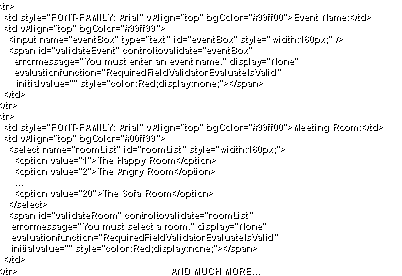
- <tr>
- <td style="FONT-FAMILY:
Arial" vAlign="top" bgColor="#99ff00">Event
Name:</td>
- <td vAlign="top"
bgColor="#99ff99">
- <input
name="eventBox" type="text" id="eventBox"
style="width:160px;" />
- <span
id="validateEvent" controltovalidate="eventBox"
- errormessage="You must
enter an event name." display="None"
-
evaluationfunction="RequiredFieldValidatorEvaluateIsValid“
- initialvalue=""
style="color:Red;display:none;"></span>
- </td>
- </tr>
- <tr>
- <td style="FONT-FAMILY:
Arial" vAlign="top"
bgColor="#99ff00">Meeting Room:</td>
- <td vAlign="top"
bgColor="#00ff99">
- <select
name="roomList" id="roomList“
style="width:160px;">
- <option
value="1">The Happy Room</option>
- <option
value="2">The Angry Room</option>
- …
- <option
value="20">The Sofa Room</option>
- </select>
- <span
id="validateRoom" controltovalidate="roomList“
- errormessage="You must
select a room." display="None"
-
evaluationfunction="RequiredFieldValidatorEvaluateIsValid“
- initialvalue=""
style="color:Red;display:none;"></span>
- </td>
- </tr>
AND MUCH MORE…
|
|
24
|
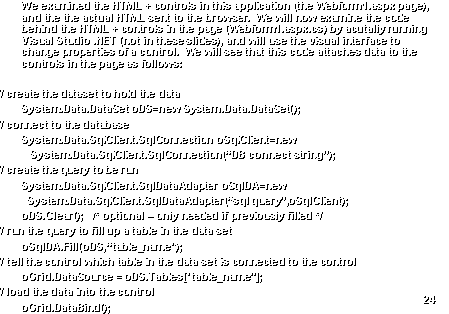
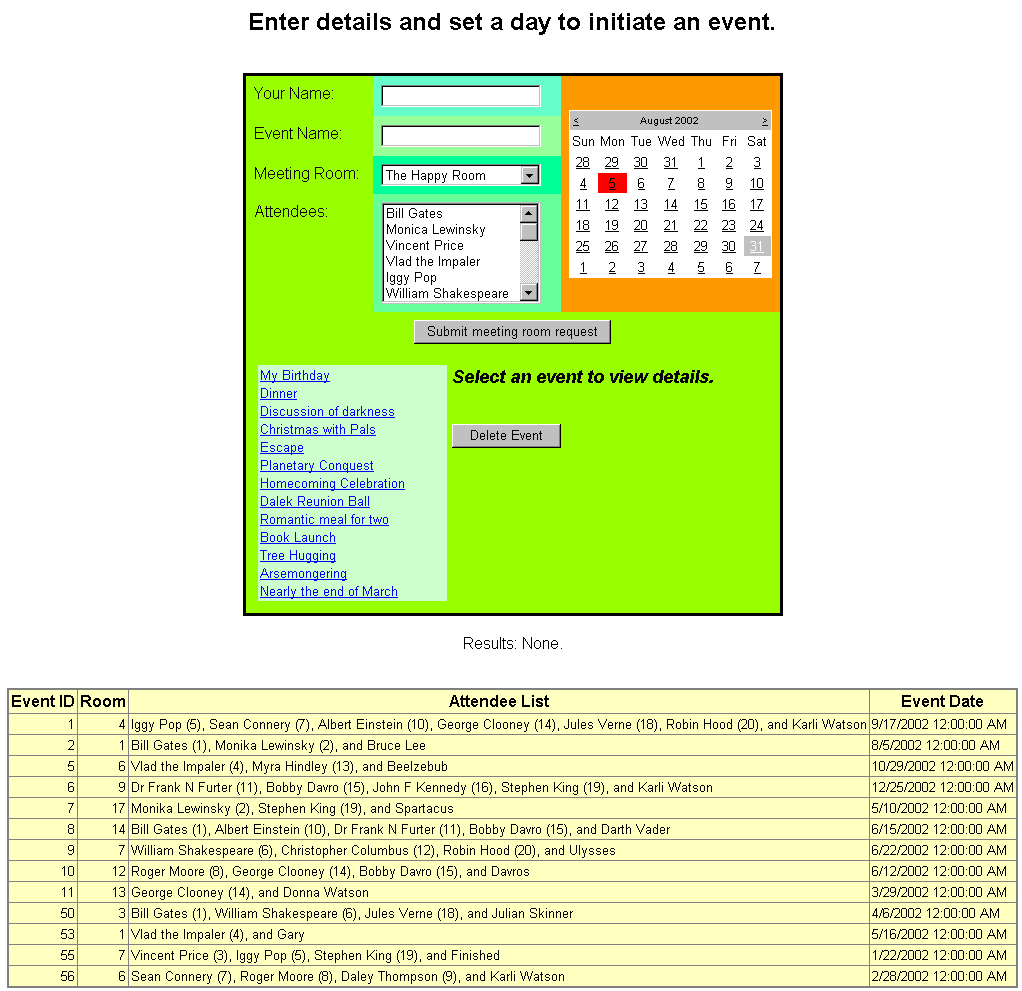
- We examined the HTML + controls in this application (the Webform1.aspx
page), and the the actual HTML sent to the browser. We will now examine the code behind
the HTML + controls in the page (Webform1.aspx.cs) by acutally running
Visual Studio .NET (not in these slides), and will use the visual
interface to change properties of a control. We will see that this code attaches
data to the controls in the page as follows:
- // create the dataset to hold the data
- System.Data.DataSet oDS=new System.Data.DataSet();
- // connect to the database
- System.Data.SqlClient.SqlConnection oSqlClient=new
-
System.Data.SqlClient.SqlConnection(“DB connect string”);
- // create the query to be run
- System.Data.SqlClient.SqlDataAdapter oSqlDA=new
-
System.Data.SqlClient.SqlDataAdapter(“sql query”,oSqlClient);
- oDS.Clear(); /* optional – only
needed if previously filled */
- // run the query to fill up a table in the data set
- oSqlDA.Fill(oDS,“table_name");
- // tell the control which table in the data set is connected to the
control
- oGrid.DataSource = oDS.Tables["table_name"];
- // load the data into the control
- oGrid.DataBind();
|
|
25
|
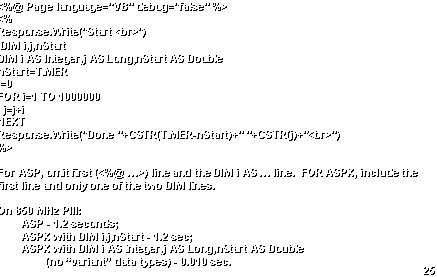
- <%@ Page language="VB" debug="false" %>
- <%
- Response.Write("Start <br>")
- 'DIM i,j,nStart
- DIM i AS Integer,j AS Long,nStart AS Double
- nStart=TIMER
- j=0
- FOR i=1 TO 1000000
- j=j+i
- NEXT
- Response.Write("Done "+CSTR(TIMER-nStart)+"
"+CSTR(j)+"<br>")
- %>
- For ASP, omit first (<%@ …>) line and the DIM i AS … line. FOR ASPX, include the
- first line and only one of the two DIM lines.
- On 850 MHz PIII:
- ASP - 1.2 seconds;
- ASPX with DIM i,j,nStart - 1.2 sec;
- ASPX with DIM i AS Integer,j AS Long,nStart AS Double
- (no “variant” data types) - 0.010 sec.
|
|
26
|
- <%@ Page language="C#" debug="false" %>
- <%
- Response.Write("Start
"+System.DateTime.Now.ToString()+"<br>");
- int i;
- long j=0,start;
- start=System.DateTime.Now.Ticks;
- for (i=1;i<=1000000;i++) {j=j+i;}
- Response.Write("Done
"+((System.DateTime.Now.Ticks-start)/10000000.0).ToString()+
- "s
"+j.ToString()+"<br>");
- %>
- On 850 MHz PIII: 0.010 seconds (same as VB with no variant data types)
|
|
27
|
- <%
- Response.Write("Start "+CSTR(NOW())+"<br>")
- DIM s,i,nStart
- nStart=TIMER
- s=""
- FOR i=1 TO 20000
- s=s+CSTR(i)
- NEXT
- Response.Write("Done "+CSTR(TIMER-nStart)+"
"+CSTR(LEN(s))+" 20,000<br>")
- %>
- On 850 MHz PIII: 7.5 seconds
|
|
28
|
- <%@ Page language="VB" debug="false" %>
- <%
- Response.Write("Start "+CSTR(NOW())+"<br>")
- DIM s AS String,i AS Integer,nStart AS Double
- nStart=TIMER
- s=""
- FOR i=1 TO 20000
- s=s+CSTR(i)
- NEXT
- Response.Write("Done "+CSTR(TIMER-nStart)+"
"+CSTR(LEN(s))+" 20,000<br>")
- %>
- On 850 MHz PIII: 21.6 seconds (longer because strings are recopied)
|
|
29
|
- <%@ Page language="VB" debug="false" %>
- <%
- Response.Write("Start "+CSTR(NOW())+"<br>")
- DIM i AS Integer,nStart AS Double
- DIM s AS System.Text.StringBuilder
- s=NEW System.Text.StringBuilder(10000)
- nStart=TIMER
- FOR j=1 TO 10
- s.Remove(0,s.Length)
- FOR i=1 TO 20000
- s.Append(CSTR(i))
- NEXT
- NEXT
- Response.Write("Done "+((TIMER-nStart)/10).ToString()+"
"+CSTR(LEN(s.ToString()))+" 20,000<br>")
- %>
- On 850 MHz PIII: 0.026 seconds
|
|
30
|
- <%@ Page language="C#" debug="true" %>
- <%
- System.Int32 i=0;int j=0;long
start=System.DateTime.Now.Ticks;
- System.Text.StringBuilder s=new
System.Text.StringBuilder(10000);
- this.Response.Write("Start
<br>");
- for (j=0;j<10;j++)
{s.Remove(0,s.Length);
- for (i=0;i<nCount;i++)
{s.Append(i.ToString());};}
- this.Response.Write("Done
"+((System.DateTime.Now.Ticks-start)/
-
10000000.0/10).ToString()+"s
"+s.ToString().Length.ToString()+"
"+i.ToString()+"<br>");
- %>
- On 850 MHz PIII: 0.026 seconds
|
|
31
|
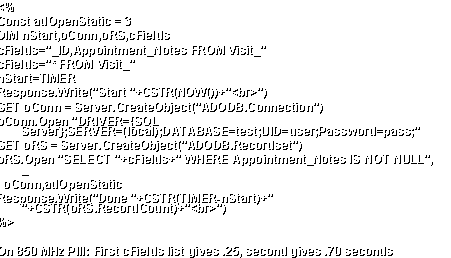
- <%
- Const adOpenStatic = 3
- DIM nStart,oConn,oRS,cFields
- cFields="_ID,Appointment_Notes FROM Visit_"
- cFields="* FROM Visit_"
- nStart=TIMER
- Response.Write("Start "+CSTR(NOW())+"<br>")
- SET oConn = Server.CreateObject("ADODB.Connection")
- oConn.Open "DRIVER={SQL
Server};SERVER=(local);DATABASE=test;UID=user;Password=pass;"
- SET oRS = Server.CreateObject("ADODB.Recordset")
- oRS.Open "SELECT "+cFields+" WHERE Appointment_Notes IS
NOT NULL", _
- oConn,adOpenStatic
- Response.Write("Done "+CSTR(TIMER-nStart)+"
"+CSTR(oRS.RecordCount)+"<br>")
- %>
- On 850 MHz PIII: First cFields list gives .25, second gives .70 seconds
|
|
32
|
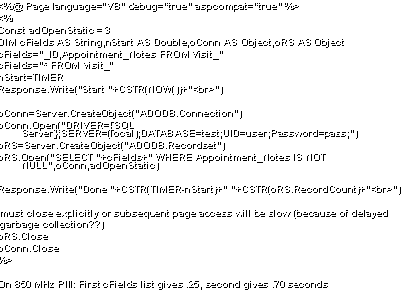
- <%@ Page language="VB" debug="true"
aspcompat="true" %>
- <%
- Const adOpenStatic = 3
- DIM cFields AS String,nStart AS Double,oConn AS Object,oRS AS Object
- cFields="_ID,Appointment_Notes FROM Visit_"
- cFields="* FROM Visit_"
- nStart=TIMER
- Response.Write("Start "+CSTR(NOW())+"<br>")
- oConn=Server.CreateObject("ADODB.Connection")
- oConn.Open("DRIVER={SQL
Server};SERVER=(local);DATABASE=test;UID=user;Password=pass;")
- oRS=Server.CreateObject("ADODB.Recordset")
- oRS.Open("SELECT "+cFields+" WHERE Appointment_Notes IS
NOT NULL",oConn,adOpenStatic)
- Response.Write("Done "+CSTR(TIMER-nStart)+"
"+CSTR(oRS.RecordCount)+"<br>")
- 'must close explicitly or subsequent page access will be slow (because
of delayed
- 'garbage collection??)
- oRS.Close
- oConn.Close
- %>
- On 850 MHz PIII: First cFields list gives .25, second gives .70 seconds
|
|
33
|
- <%@ Page language="VB" debug="true"%>
- <%
- Const adOpenStatic = 3
- DIM nStart AS Double
- DIM oDS AS System.Data.DataSet
- DIM oOleDB AS System.Data.OleDb.OleDbConnection
- DIM oSqlClient AS System.Data.SqlClient.SqlConnection
- DIM oOleDA AS System.Data.OleDb.OleDbDataAdapter
- DIM oSqlDA AS System.Data.SqlClient.SqlDataAdapter
- DIM oRows AS System.Data.DataRowCollection
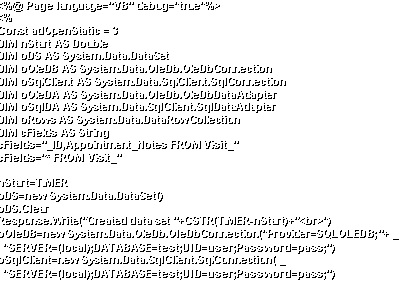
- DIM cFields AS String
- cFields="_ID,Appointment_Notes FROM Visit_"
- cFields="* FROM Visit_"
- nStart=TIMER
- oDS=new System.Data.DataSet()
- oDS.Clear
- Response.Write("Created data set
"+CSTR(TIMER-nStart)+"<br>")
- oOleDB=new
System.Data.OleDb.OleDbConnection("Provider=SQLOLEDB;"+ _
- "SERVER=(local);DATABASE=test;UID=user;Password=pass;")
- oSqlClient=new System.Data.SqlClient.SqlConnection( _
- "SERVER=(local);DATABASE=test;UID=user;Password=pass;")
|
|
34
|
- oOleDA=new System.Data.OleDb.OleDbDataAdapter( _
- "SELECT
"+cFields+" WHERE Appointment_Notes IS NOT NULL", _
- oOleDB)
- oSqlDA=new System.Data.SqlClient.SqlDataAdapter( _
- "SELECT
"+cFields+" WHERE Appointment_Notes IS NOT NULL", _
- oSqlClient)
- Response.Write("Created data adapters
"+CSTR(TIMER-nStart)+"<br>")
- oOleDA.Fill(oDS,"History")
- Response.Write("Loaded dataset table
"+CSTR(TIMER-nStart)+"<br>")
- oDS.Clear()
- nStart=TIMER
- oSqlDA.Fill(oDS,"History")
- Response.Write("Loaded dataset table
"+CSTR(TIMER-nStart)+"<br>")
- oRows=oDS.Tables("History").Rows
- Response.Write("Done "+CSTR(TIMER-nStart)+"
"+CSTR(oRows.Count)+"<br>")
- 'must close explicitly or subsequent page access will be slow (because
of delayed
- 'garbage collection??)
- oOleDB.Close()
- oSqlClient.Close()
- oDS.Clear()
- %>
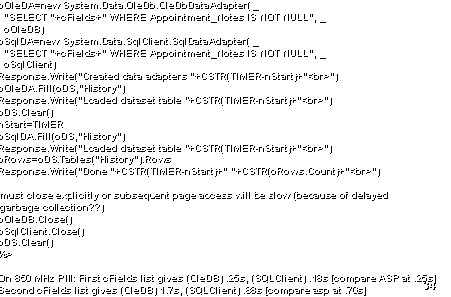
- On 850 MHz PIII: First cFields list gives (OleDB) .25s, (SQLClient) .18s
[compare ASP at .25s]
- Second cFields list gives (OleDB) 1.7s, (SQLClient) .88s [compare asp at
.70s]
|
|
35
|
- <%@ Page language="C#" debug="true"%><%
- int i; long j=0,k=0; string cNotes; object oField; string cFields;
- long nStart=System.DateTime.Now.Ticks;
- cFields="_ID,Appointment_Notes FROM Visit_"; cFields="*
FROM Visit_";
- System.Data.DataRowCollection oRows=
-
GetData("SERVER=(local);DATABASE=test;UID=user;Password=pass;",
- "SELECT
"+cFields+" WHERE Appointment_Notes IS NOT NULL");
- Response.Write("Done
"+((System.DateTime.Now.Ticks-nStart)/10000000.0).ToString()+
- "
"+oRows.Count.ToString()+"<br>");
- %>
- <script runat="server">
- System.Data.DataRowCollection GetData(string lcConnection,string
lcQuery) {
- System.Data.DataSet oDS=new
System.Data.DataSet();
-
System.Data.SqlClient.SqlConnection oSqlClient=
- new
System.Data.SqlClient.SqlConnection(lcConnection);
-
System.Data.SqlClient.SqlDataAdapter oSqlDA=
- new
System.Data.SqlClient.SqlDataAdapter(lcQuery,oSqlClient);
- oDS.Clear();
-
oSqlDA.Fill(oDS,"History");
- return
oDS.Tables["History"].Rows;}
- </script>
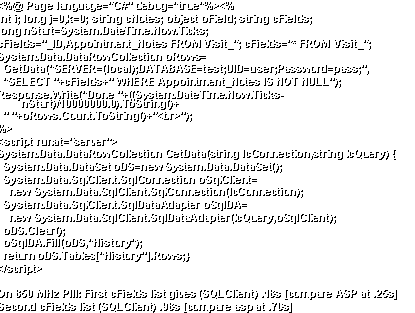
- On 850 MHz PIII: First cFields list gives (SQLClient) .18s [compare ASP
at .25s]
- Second cFields list (SQLClient) .98s [compare asp at .70s]
|
|
36
|
- <%
- Const adOpenStatic = 3
- DIM nStart,oConn,oRS,i,j,k,cNotes,oField
- nStart=TIMER
- Response.Write("Start "+CSTR(NOW())+"<br>")
- SET oConn = Server.CreateObject("ADODB.Connection")
- oConn.Open "DRIVER={SQL Server};SERVER=(local);"+ _
-
"DATABASE=test;UID=user;Password=pass;"
- SET oRS = Server.CreateObject("ADODB.Recordset")
- oRS.Open "SELECT _ID,Appointment_Notes FROM Visit_",oConn
',adOpenStatic
- j=0
- k=0
- DO WHILE NOT oRS.EOF
- j=j+oRS("_ID").Value
-
cNotes=oRS("Appointment_Notes").Value
- IF NOT ISNULL(cNotes) THEN
- k=k+LEN(cNotes)
- END IF
- IF NOT ISNULL(cString) THEN
k=k+LEN(cString)
- oRS.MoveNext
- LOOP
- Response.Write("Done "+CSTR(TIMER-nStart)+"
"+CSTR(j)+" "+CSTR(k)+"<br>")
- %>
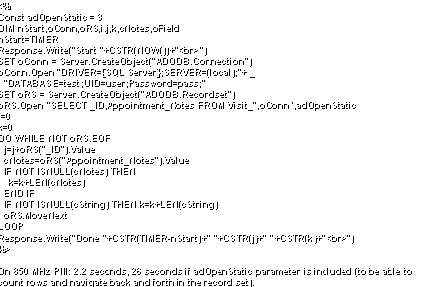
- On 850 MHz PIII: 2.2 seconds, 26 seconds if adOpenStatic parameter is
included (to be able to
- count rows and navigate back and forth in the record set).
|
|
37
|
- <%@ Page language="VB" debug="true"
aspcompat="true" %>
- <%
- Const adOpenStatic = 3
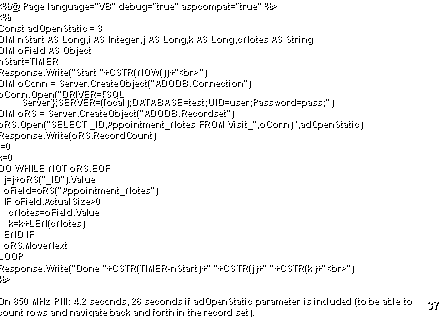
- DIM nStart AS Long,i AS Integer,j AS Long,k AS Long,cNotes AS String
- DIM oField AS Object
- nStart=TIMER
- Response.Write("Start "+CSTR(NOW())+"<br>")
- DIM oConn = Server.CreateObject("ADODB.Connection")
- oConn.Open("DRIVER={SQL
Server};SERVER=(local);DATABASE=test;UID=user;Password=pass;")
- DIM oRS = Server.CreateObject("ADODB.Recordset")
- oRS.Open("SELECT _ID,Appointment_Notes FROM Visit_",oConn)
',adOpenStatic)
- Response.Write(oRS.RecordCount)
- j=0
- k=0
- DO WHILE NOT oRS.EOF
- j=j+oRS("_ID").Value
-
oField=oRS("Appointment_Notes")
- IF oField.ActualSize>0
- cNotes=oField.Value
- k=k+LEN(cNotes)
- END IF
- oRS.MoveNext
- LOOP
- Response.Write("Done "+CSTR(TIMER-nStart)+"
"+CSTR(j)+" "+CSTR(k)+"<br>")
- %>
- On 850 MHz PIII: 4.2 seconds, 26 seconds if adOpenStatic parameter is
included (to be able to
- count rows and navigate back and forth in the record set).
|
|
38
|
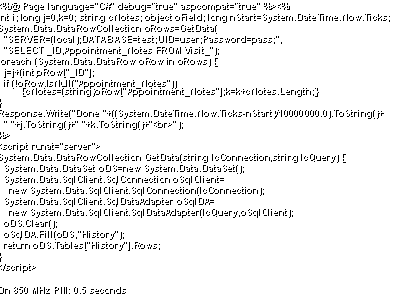
- <%@ Page language="C#" debug="true"
aspcompat="true" %><%
- int i; long j=0,k=0; string cNotes; object oField; long
nStart=System.DateTime.Now.Ticks;
- System.Data.DataRowCollection oRows=GetData(
-
"SERVER=(local);DATABASE=test;UID=user;Password=pass;",
- "SELECT
_ID,Appointment_Notes FROM Visit_");
- foreach (System.Data.DataRow oRow in oRows) {
- j=j+(int)oRow["_ID"];
- if
(!oRow.IsNull("Appointment_Notes"))
{cNotes=(string)oRow["Appointment_Notes"];k=k+cNotes.Length;}
- }
- Response.Write("Done
"+((System.DateTime.Now.Ticks-nStart)/10000000.0).ToString()+
- "
"+j.ToString()+" "+k.ToString()+"<br>");
- %>
- <script runat="server">
- System.Data.DataRowCollection GetData(string lcConnection,string
lcQuery) {
- System.Data.DataSet oDS=new
System.Data.DataSet();
-
System.Data.SqlClient.SqlConnection oSqlClient=
- new
System.Data.SqlClient.SqlConnection(lcConnection);
-
System.Data.SqlClient.SqlDataAdapter oSqlDA=
- new
System.Data.SqlClient.SqlDataAdapter(lcQuery,oSqlClient);
- oDS.Clear();
-
oSqlDA.Fill(oDS,"History");
- return
oDS.Tables["History"].Rows;
- }
- </script>
- On 850 MHz PIII: 0.5 seconds
|
|
39
|
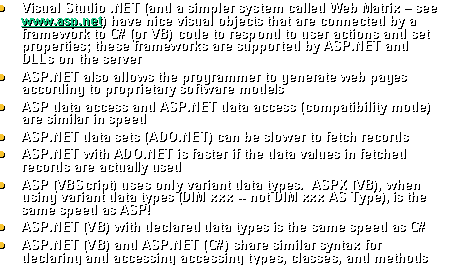
- Visual Studio .NET (and a simpler system called Web Matrix – see www.asp.net)
have nice visual objects that are connected by a framework to C# (or VB)
code to respond to user actions and set properties; these frameworks are
supported by ASP.NET and DLLs on the server
- ASP.NET also allows the programmer to generate web pages according to
proprietary software models
- ASP data access and ASP.NET data access (compatibility mode) are similar
in speed
- ASP.NET data sets (ADO.NET) can be slower to fetch records
- ASP.NET with ADO.NET is faster if the data values in fetched records are
actually used
- ASP (VBScript) uses only variant data types. ASPX (VB), when using variant data
types (DIM xxx -- not DIM xxx AS Type), is the same speed as ASP!
- ASP.NET (VB) with declared data types is the same speed as C#
- ASP.NET (VB) and ASP.NET (C#) share similar syntax for declaring and
accessing accessing types, classes, and methods
|

 Notes
Notes