|
1
|
- Jonathan D. Melvin
- Vision Implementers, Inc., jdm@vi-i.com
- Talk given at Caltech, April 16, 2001
|
|
2
|
- Provide a framework so that a system can be created and run simply by
specifying:
- data to be tracked, and
- work flow for the users working with the data
|
|
3
|
- Not yet possible to eliminate all programming, but…
- Programming of the user interface can be greatly simplified by using the
web browser
- A powerful and simple way to specify much of the user interface (the way
users interact with the system) is by naming conventions in the data
- A framework has be created so that minimal information need be specified
to describe data and work flow
|
|
4
|
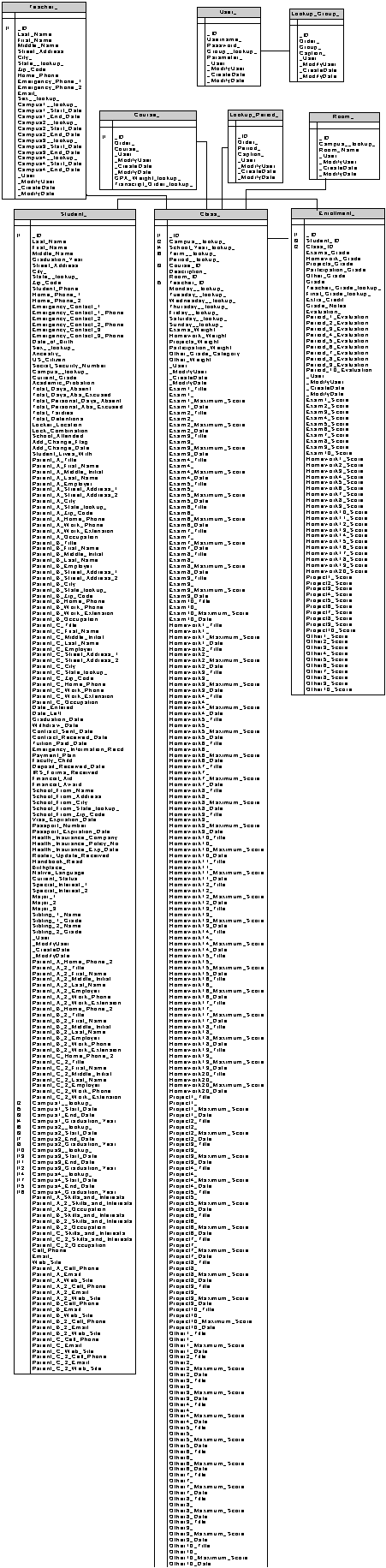
- First part of framework supports creation of a script to describe the
database using descriptive names for types of data elements. E.g.
- . . .
- Create Table "Teacher_",+_
- "Last_Name Name,"+_
- "First_Name Name,"+_
- "Middle_Name Name,"+_
- "Street_Address1
Long,"+_
- "City_ Long,"+_
- "State__lookup_ 2char,"+_
- "Zip_Code ID,"+_
- . . .
|
|
5
|
|
|
6
|
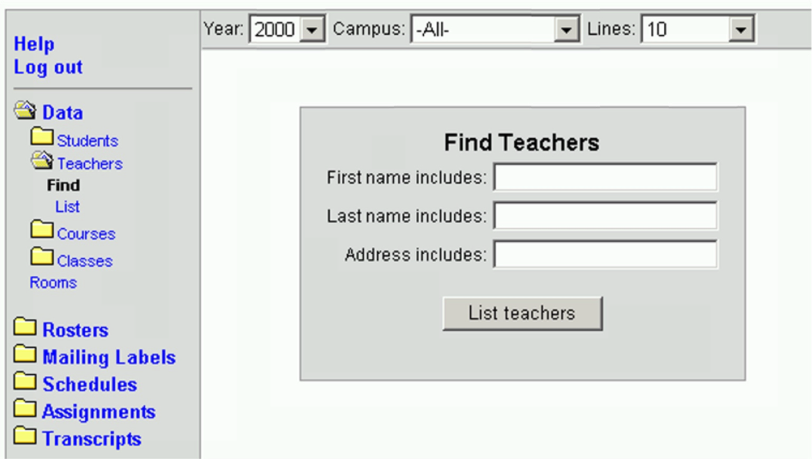
- The second part of the framework supports creation of a script that
concisely describes the work flow,
e.g.
- DrillDown
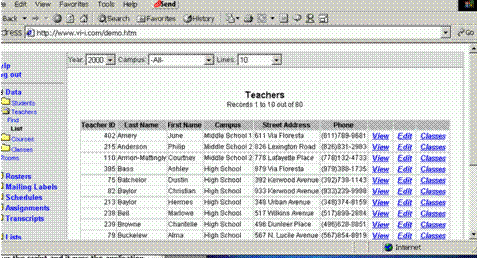
"Teachers","Teacher","Last_Name","Classes"
- ...
- ELSEIF
v.BeginFindForm("Teachers","Teacher","Last_Name,First_Name")
THEN
- v.SearchField "First name
includes:","TeacherFirst",25,"First_Name","CN"
- v.SearchField "Last name
includes:","TeacherLast",25,"Last_Name","CN"
- v.SearchField "Address
includes:","TeacherAddress",25,"Street_Address+City_","CN“
- v.EndCommandForm "List
teachers"
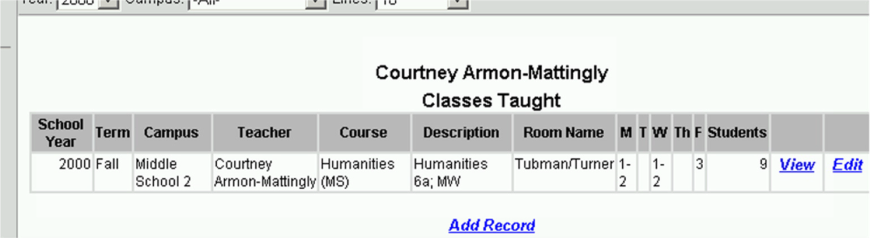
- ELSEIF v.DoDrillDown("Teachers","%FIRST_NAME%
%LAST_NAME%","Teacher",_
- TRUE,"Classes") THEN
- v.BeginDetailList
- v.ListSendAdded
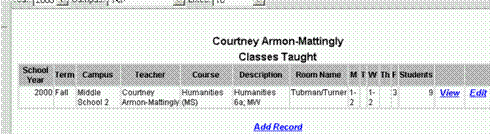
"Class","Classes Taught","No
classes","Course_","Students"
- v.EndDetailList
- ELSEIF v.EditList("Class","Class","Class")
THEN
|
|
7
|
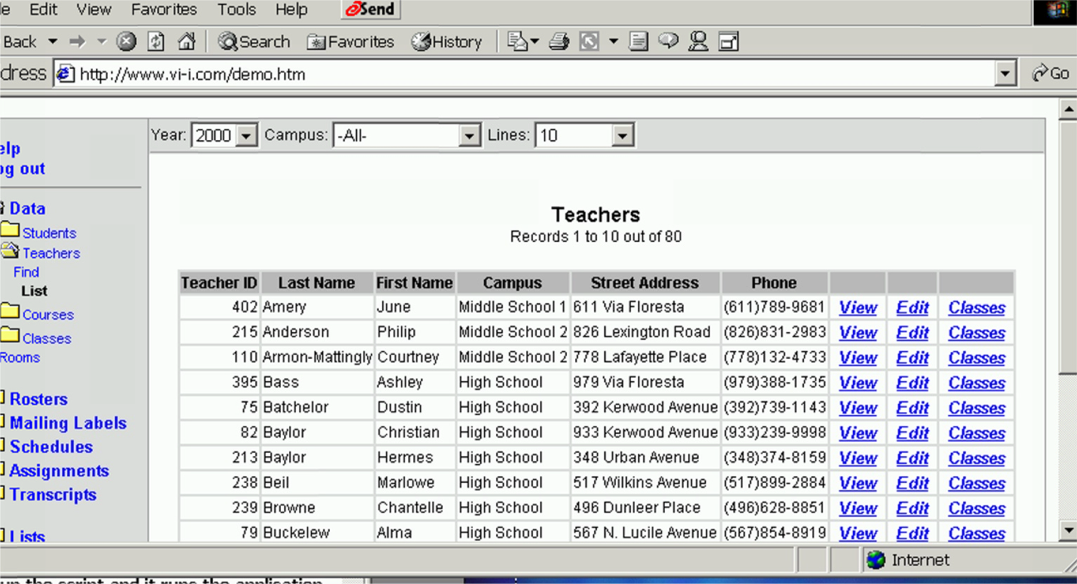
- ELSEIF
v.ViewParameters("View.Teacher","Teacher_",_
- "_ID,_ID AS
Teacher_ID,Last_Name,First_Name,"+cCampuses+_
-
",Street_Address,Home_Phone AS Phone_",_
- "",_
-
v.Where(CampusYearTeacher(),IIF(cGroup="TEACHER","_ID="+_
-
cParameter,""),FALSE),_
-
"Last_Name,First_Name",_
- "*",_
- "","",_
- nMaxTxtBoxWidth,nColumns) THEN
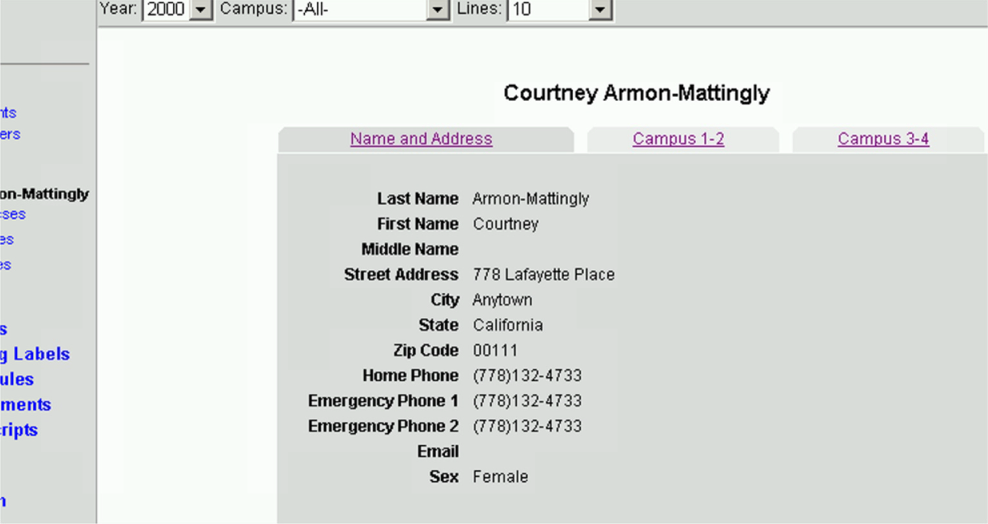
- v.SetupTabs
"135","540","360"
- v.AddTab "Name and
Address","",1
- v.AddTab "Campus
1-2","Campus1__lookup_",1
- v.AddTab "Campus
3-4","Campus3__lookup_",1
|
|
8
|
|
|
9
|
|
|
10
|
- Current programming requires detailed layout of each screen
- A complex application can have thousands of lines of code (500,000 in
the application I created prior to these web based applications) in
contrast to these very concise scripts
- Therefore, programming is typically much more time consuming and costly,
and users have to wait a long time before trying out parts of a new
system and giving feedback to the programmers.
|
|
11
|
- More rapid system implementation
- Simpler system maintenance
- Consistent user interface
|
|
12
|
- User interface security and navigation
- User interface data input and output
- Basic database structures required for good data integrity
- Typical system features (but with the ability to program additional
system features)
|
|
13
|
- Login with username and password (security)
- Membership of each user in a user group to control access rights to
tables and columns in tables, and the workflow that is to be available
- Work flow navigation:
- Pick a stage in the work flow
- See a list of work at that stage
- Pick items on that list, carry out work (which can involve entering new
data, changing work status, etc) to move each item to the next stage
|
|
14
|
- Handle text, and numerical, date, and choice input
- Handle rapid data entry of multiple values for a set of data records
(spreadsheet style input)
- Generate formatted output for reports and forms
- Optionally: Import and export data from other systems
|
|
15
|
- Screen layout is largely carried out by the browser (e.g., you can tell
the browser “start table”, “start row”, “start cell”, <contents>,
“end cell”, … instead of having to specify the detailed layout of a
table)
- Secure internet communication (SSL) is included "for free"
- Any kind of client machine can be used (PC, Mac, Sun, …)
|
|
16
|
- Code changes can be instantly deployed at a single location for all
users
- Users can work from anywhere; support personnel can fix problems from
anywhere
- The system can communicate with email, fax, cell phones, etc. without
special programming
- The system can incorporate address validation, geographical mapping, and
other services available for free on the Internet
|
|
17
|
- Data in a “database” is organized into “tables” (rows and columns). Each row is called a “record”. Each column value in a row is called a
“field”.
- A field value can be
- A number
- Text (of limited and of unlimited size)
- Graphics or other external data
- A date
- A pointer to a record in another table ("foreign key")
|
|
18
|
- A database is “normalized” if information is never stored in two
places. E.g., a normalized
student database stores the student name once in a student table, not in
each grade record.
- The data has “referential integrity” if all foreign keys point to valid
records.
|
|
19
|
- "SQL", or “Structured Query Language”, is a syntax for
specifying in an almost English manner what is to be done to data. Examples:
- SELECT * FROM Student WHERE LEFT(Last_Name,1)=’M’
- UPDATE Grade SET Grade.Final=’A’ FROM Grade LEFT JOIN STUDENT ON
Grade.Student_ID=Student.ID WHERE Student.Major=’Physics’
|
|
20
|
- “Tracking fields” are extra fields which record who created and who
modified the record and when, version number for the record, and/or
other such information relating to the use of the database (as opposed
to the data in the database)
|
|
21
|
- … creates normalized databases, enforces referential integrity, and
incorporates tracking fields
- … uses SQL to standardize interaction with the database and to concisely
specify data views (and through them control appearance of data on the
screen)
|
|
22
|
- Based on the last 8 years of work, I have found
- these to be the common steps:
- Import existing data into new tables which have proper database features
(to be discussed later) - this can require substantial data cleanup
- Attach a user interface
- Adjust user interface incrementally to meet current and future needs
|
|
23
|
- Use industry standard software (web interfaces, server-based database
systems that implement SQL)
- Create a framework (such as the one described in this talk)
- Create systems incrementally with much input from users
|
|
24
|
- Include the following people on the implementation team:
- Database experts
- Algorithm experts
- User interface navigation experts
- User interface look and feel experts
- Programming a system is the easiest task. Finding out what the user wants
programmed is harder. And
cleaning up historical data is even harder. BE SURE TO ALLOW TIME FOR THE HUMAN
INTERACTION PARTS OF THE PROJECT.
|
|
25
|
- Non-web based systems
- A very large distributed database system which uses the web to
synchronize computers
- The data loader
- Systems using VisionFW (web framework):
- An remote environmental monitoring system
- An incident tracking system
- An association of people (chamber of commerce)
- A hospital patient tracking system
- An academic data system
|

 Notes
Notes